Complete Guide to 99 Nights in the Forest PC Controls & Tips
Master the survival mechanics with our comprehensive guide to 99 Nights in the Forest PC controls. Learn essential keybinds to outlast the Deer Monster today.
Published: 99 Nights in the Forest Wiki Editorial Team
Table of Contents
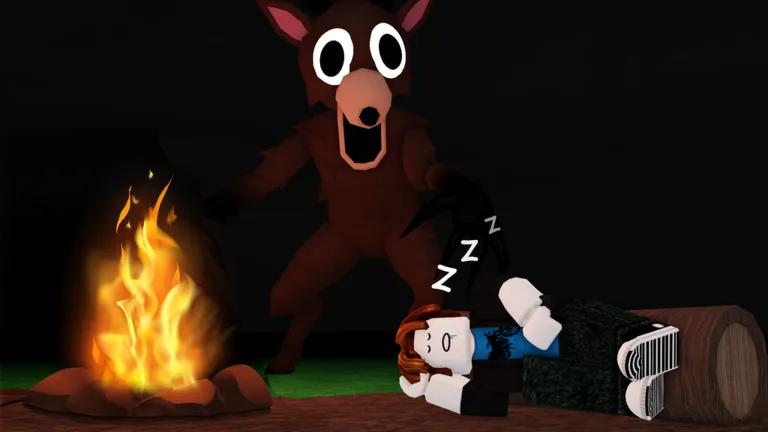
Surviving the unforgiving wilderness in 99 Nights in the Forest requires more than just luck; it demands precise execution of your actions. Mastering the 99 nights in the forest pc controls is the first step toward ensuring you don't become just another victim of the lurking Deer Monster. Whether you are a newcomer or a returning survivor, understanding how to navigate the game efficiently will significantly improve your chances of saving the missing kids.
Learning the 99 nights in the forest pc controls early on allows you to react instantly when the environment turns hostile. In a game where every second counts and resources are scarce, fumbling with your keyboard can be the difference between a successful night of crafting and a premature end to your run.
Essential Movement and Interaction Controls
At its core, this survival simulator follows standard Roblox movement conventions, but with specific tactical requirements. You must be fluid in your movement to manage your hunger and energy levels effectively.
Action
Keybind
Move Forward
W
Move Backward
S
Move Left
A
Move Right
D
Sprint
Left Shift
Jump
Spacebar
Interact
E
Using the WASD keys is intuitive, but holding Left Shift to sprint is vital when you need to evade the Deer Monster. Remember, sprinting consumes stamina, so manage your movement wisely to avoid being caught exhausted in the dark.
Mastering Tool and Inventory Management
Effective resource gathering is the backbone of your survival. You will spend a significant amount of time chopping wood and interacting with your environment.
Hotbar and Equipment Management
Your hotbar is located at the bottom of your screen. You can select items quickly by pressing the corresponding number key (1-0). If you want to unequip an item, simply press the same number key again or use the Backspace key.
Action
Keybind
Select Item
1-0
Use/Attack
Left Mouse Button
Reload Weapon
R
Toggle Flashlight
Left Mouse Button (while equipped)
Open Backpack
Tilde (~)
Tip
Efficient Storage: When you need to manage your inventory, remember to equip your sack first, then use the F key to store or drop items. This prevents cluttering your immediate area with essential resources.
Advanced Survival Strategies
Survival is not just about moving; it is about preparation. According to community reports, the most common mistake new players make is neglecting their hunger meter.
The Importance of Cooking
You should never consume raw food found in the wild. Eating raw items can lead to health loss, which is detrimental when you are already struggling to stay alive. Always use your campfire to cook food before consumption.
Managing the Deer Monster
The Deer Monster is the primary threat that appears once night falls. While it cannot be permanently killed, it can be stunned. If you find yourself in a dangerous situation, focus on finding well-lit areas or using your flashlight to keep the creature at bay.
Class-Specific Advantages
If you choose to invest in a class, each one provides unique utility. Players often note that the Medic class is excellent for beginners due to the included bandages, while the Ranger offers a tactical advantage with a flashlight and revolver.
Crafting and Map Navigation
Crafting is essential for long-term progression. You start with a basic crafting table, but as you gather more resources, you must upgrade it to unlock advanced recipes.
Crafting Item
Resource Requirement
Usage
Map
3 Wood Blocks
Essential for navigation
Farm Plot
Varies
Sustainable food source
Basic Tools
Wood/Stone
Resource gathering
Pressing M will open your map, which is crucial for locating the missing children. Keep in mind that the game only provides one location at a time, so frequent map checks are necessary to stay on track within the 99-day limit.
Frequently Asked Questions
How do I check my map in 99 Nights in the Forest?
You can view your map by pressing the M key. Note that you must first craft a map at the crafting table using three wood blocks to utilize this feature.
Why am I losing health when I eat food?
You are likely eating raw food. Always cook your scavenged items at a campfire first. Eating raw food is a common mistake that causes damage to your character.
What are the best PC controls for combat?
For combat, use the Left Mouse Button to swing your axe or fire your weapon. If you are using a firearm, remember to press R to reload your weapon during lulls in the action to ensure you are ready for the next encounter.
Is there a way to store extra items?
Yes, you can use your sack to store items. Equip the sack and press F to interact with your inventory, allowing you to manage your resources more effectively during long expeditions.